
The Settings page brings your organisation and privacy settings together in one place. Use it to see how your organisation measures on-time performance (OTP), or to change your cookie preferences.
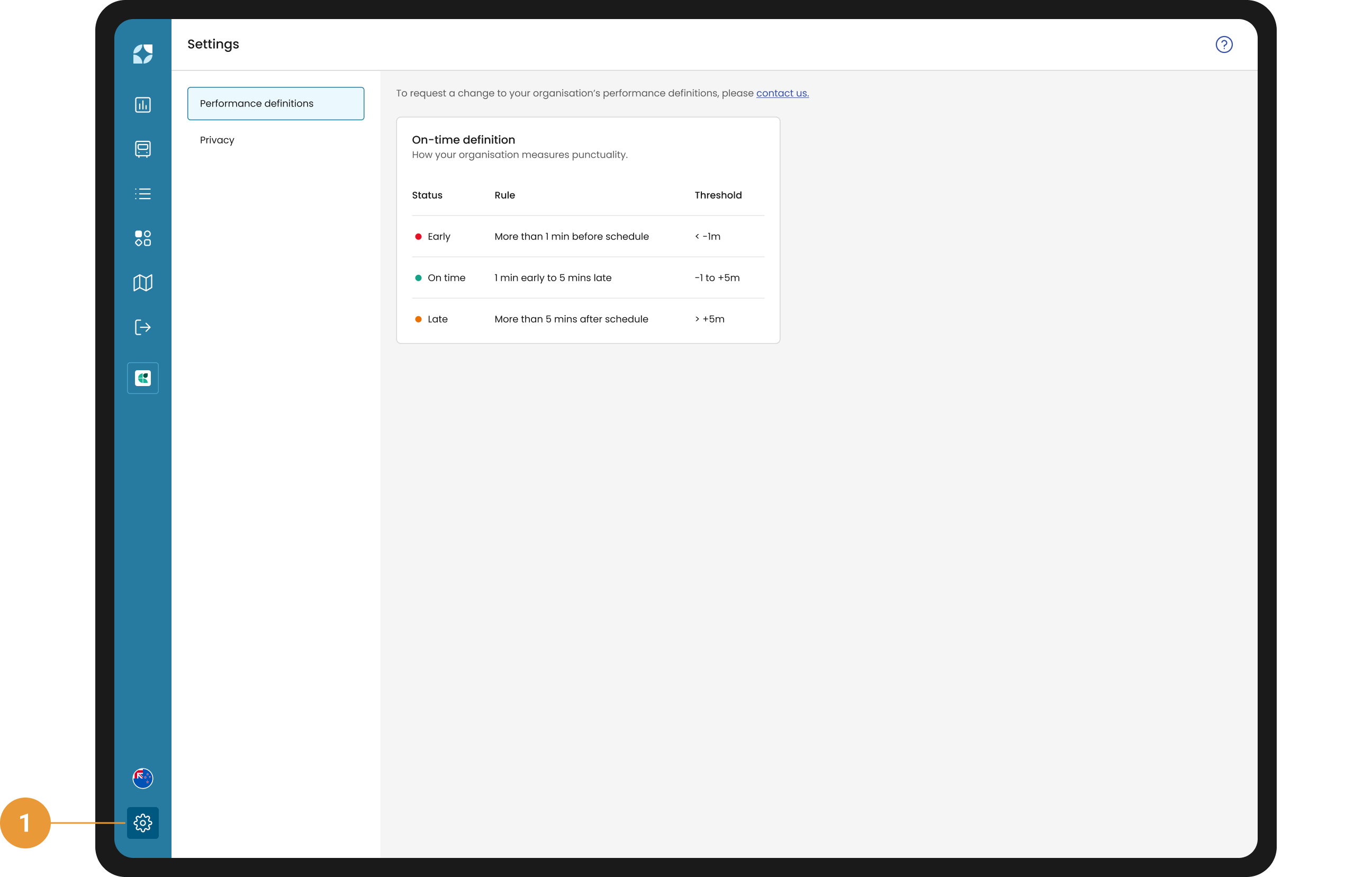
Select Settings in the left navigation bar (1). Select an item from the menu to view:
-
Performance definitions: how your organisation measures OTP
-
Privacy: your cookies preferences and the link to our privacy policy
Viewing your performance definitions
Performance definitions show the settings Mosaiq Insights uses to measure your organisation's performance, starting with the OTP definition.
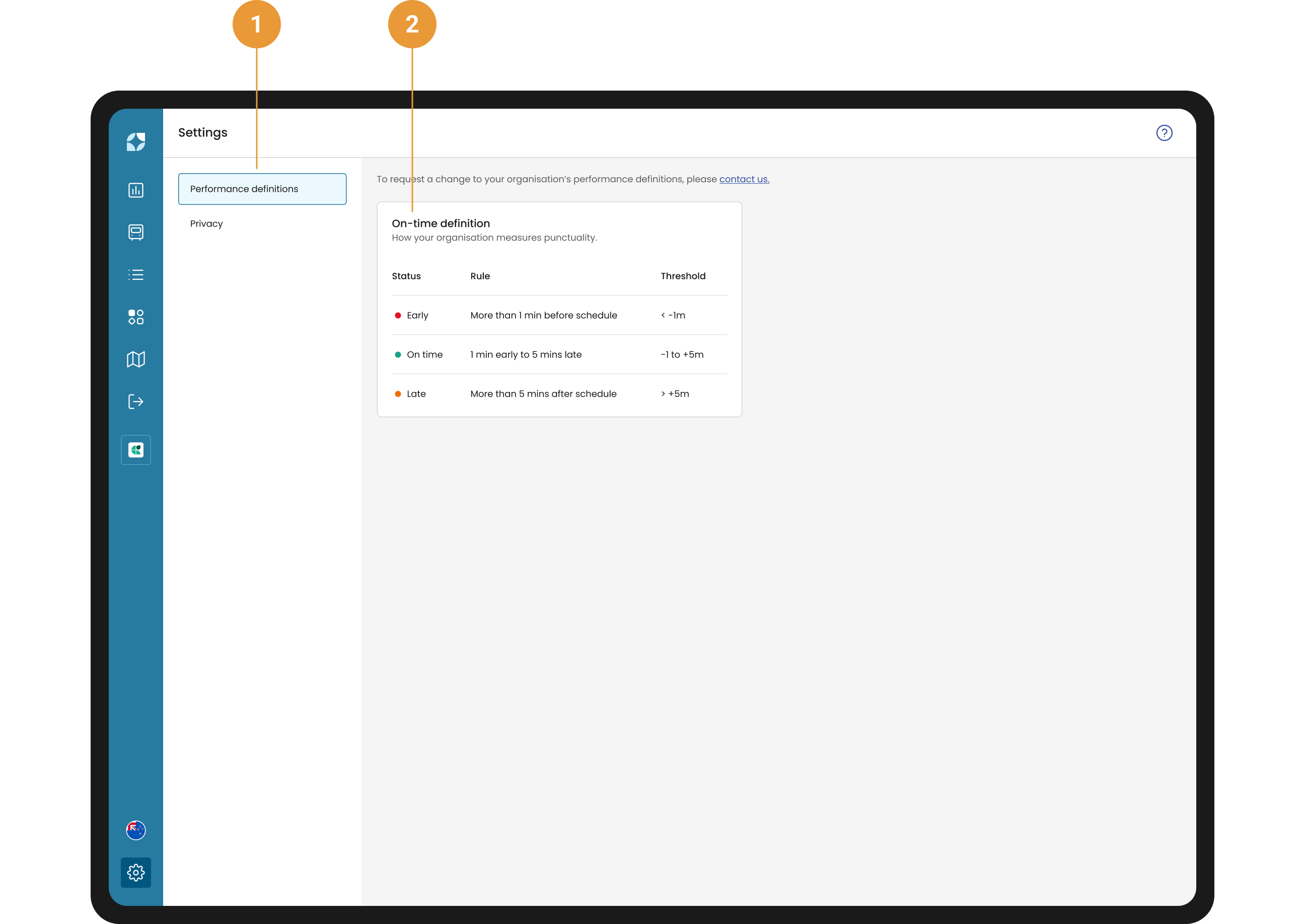
Performance definitions shows how your organisation measures OTP (1). It displays a table containing the early, on-time and late (EOL) thresholds Mosaiq Insights uses to classify a vehicle as Early, On time or Late at each stop or timing point (2). These thresholds feed into your organisation’s KPIs and the OTP views. By default Mosaiq defines:
-
Early as 60 seconds or more ahead of schedule,
-
On-time as 1 min early to 5 mins 59 seconds late, and
-
Late as 5 mins 59 seconds or more behind schedule.
Thresholds are shown exact to the second. Whole minutes show without seconds, for example −1 min or +4 min 59 s.
Some organisations have two OTP definitions. If yours does, you'll see a table for each.
These settings are read-only. Snapper Services sets them for your organisation. To request a change, please contact support.
Viewing and changing your privacy preferences
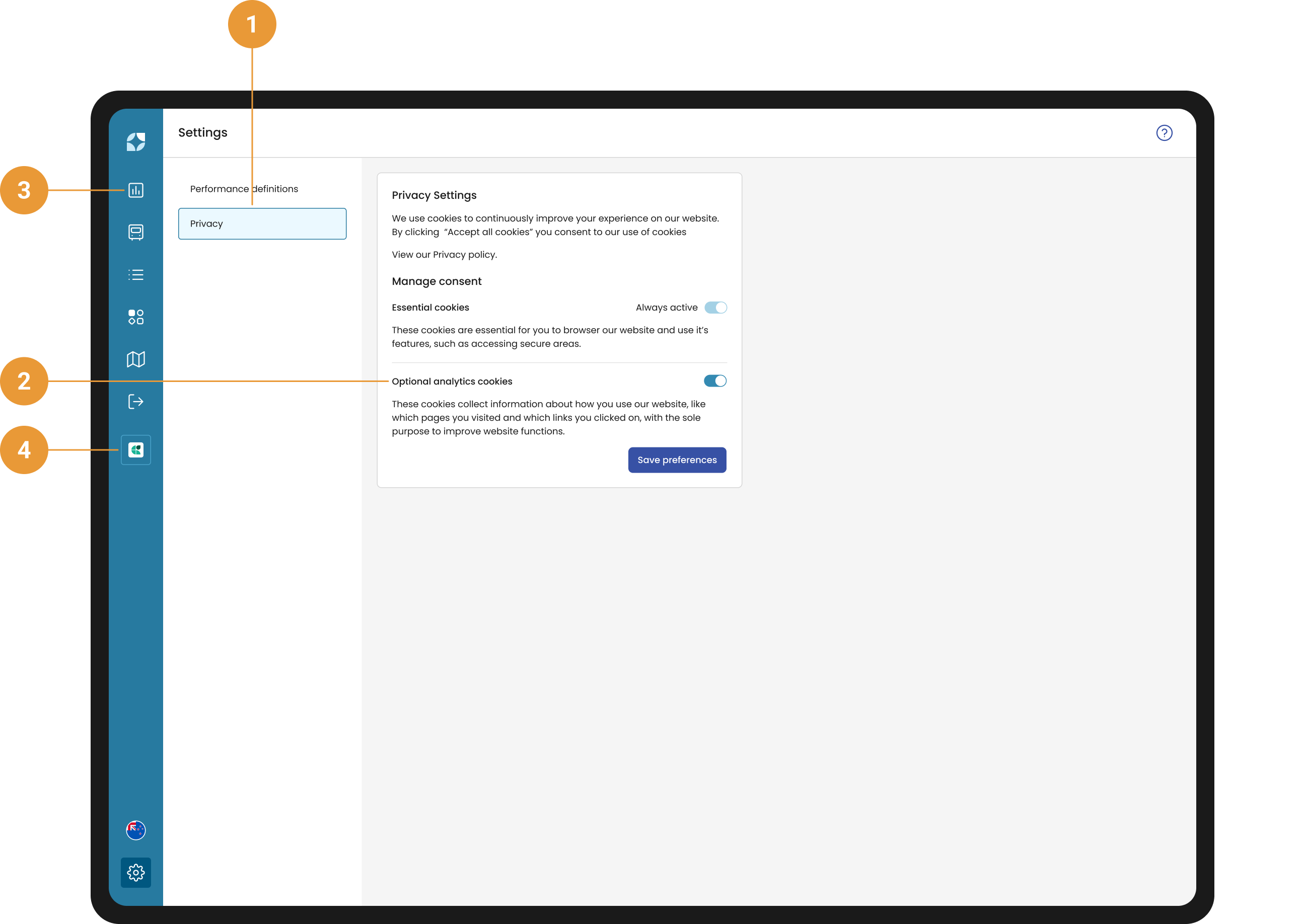
In Privacy you can view and edit your privacy preferences (1). Under the section “Optional analytics cookies” (2) set the switch to on or off, as per your preference.
Click “Save preferences” to exit Settings and return to the main screen. Or, to return to:
-
Mosaiq Insights, click KPI Dashboard in the left navigation bar (3).
-
Mosaiq Live, click Live in the left navigation bar (4).