The Services layer is a key tool for investigating the geographic locations of services within your network. It lets you review how each service and its variants perform at the first and last stops, and visually trace the connections between stops along each route.
How Services are visualised
-
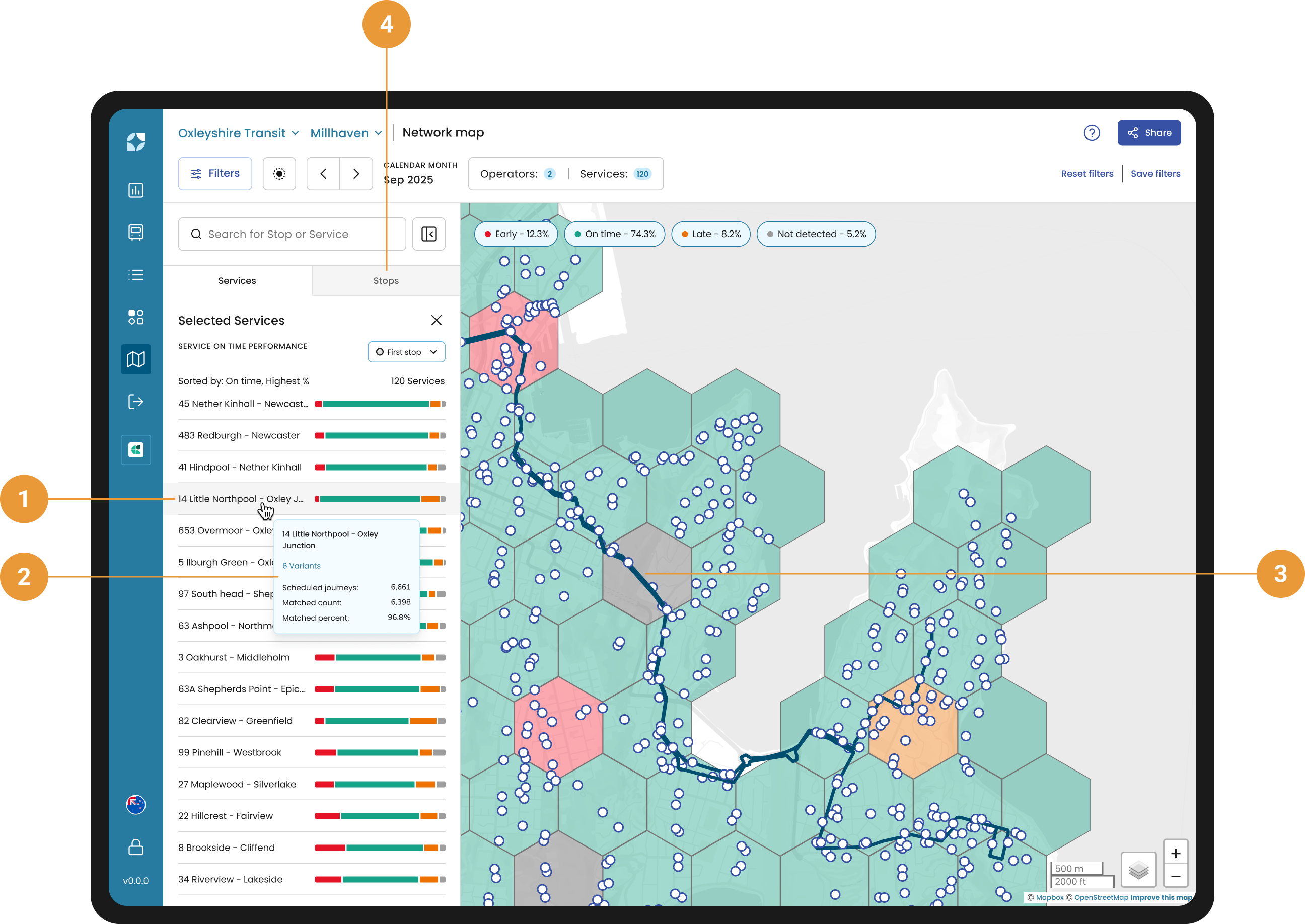
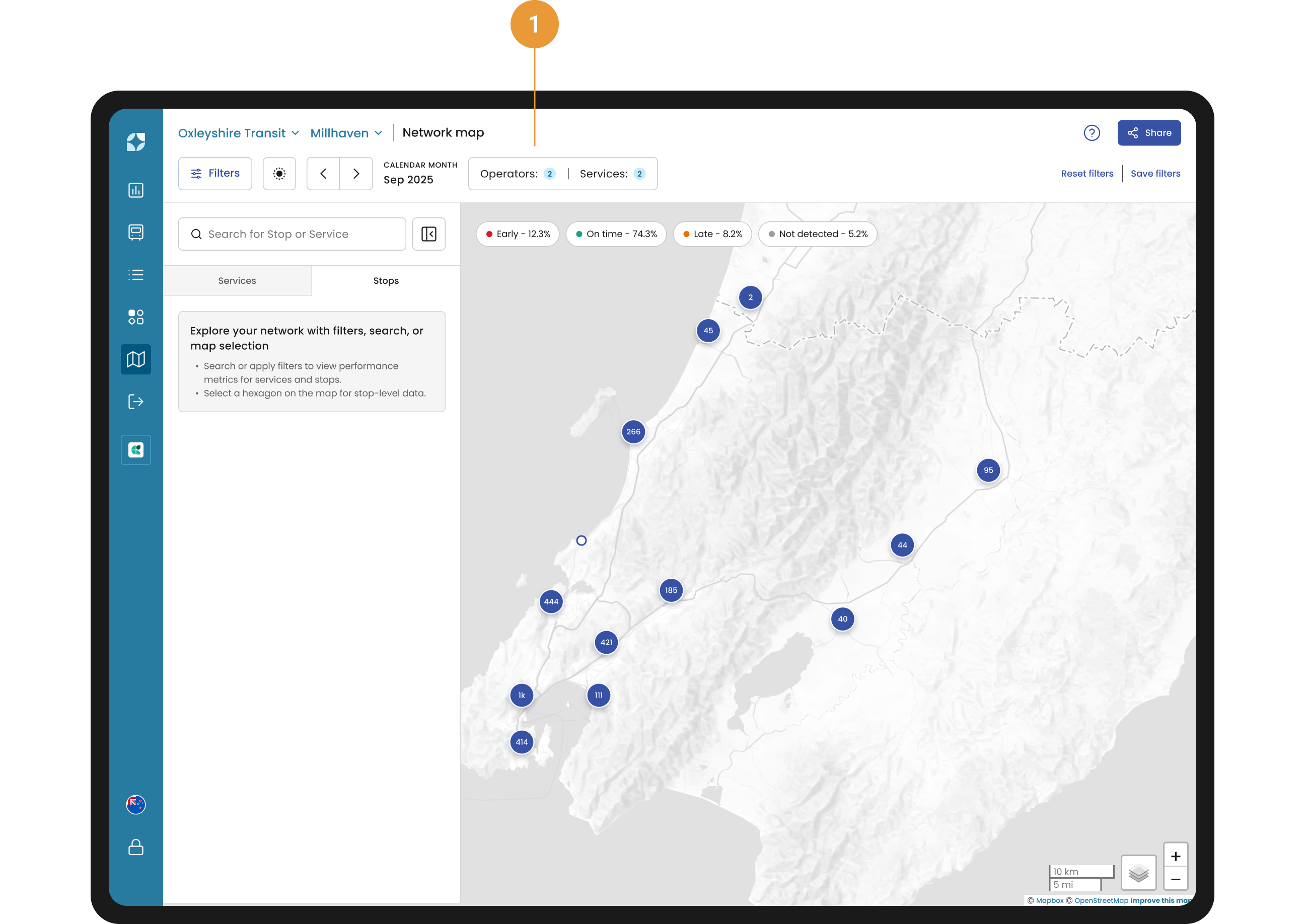
Filters: Use operator and service filters to display relevant services on the map and in the side panel. (1)
-
Search: Use the search bar at any time to quickly locate specific services or stops by entering their name or ID. (2)
-
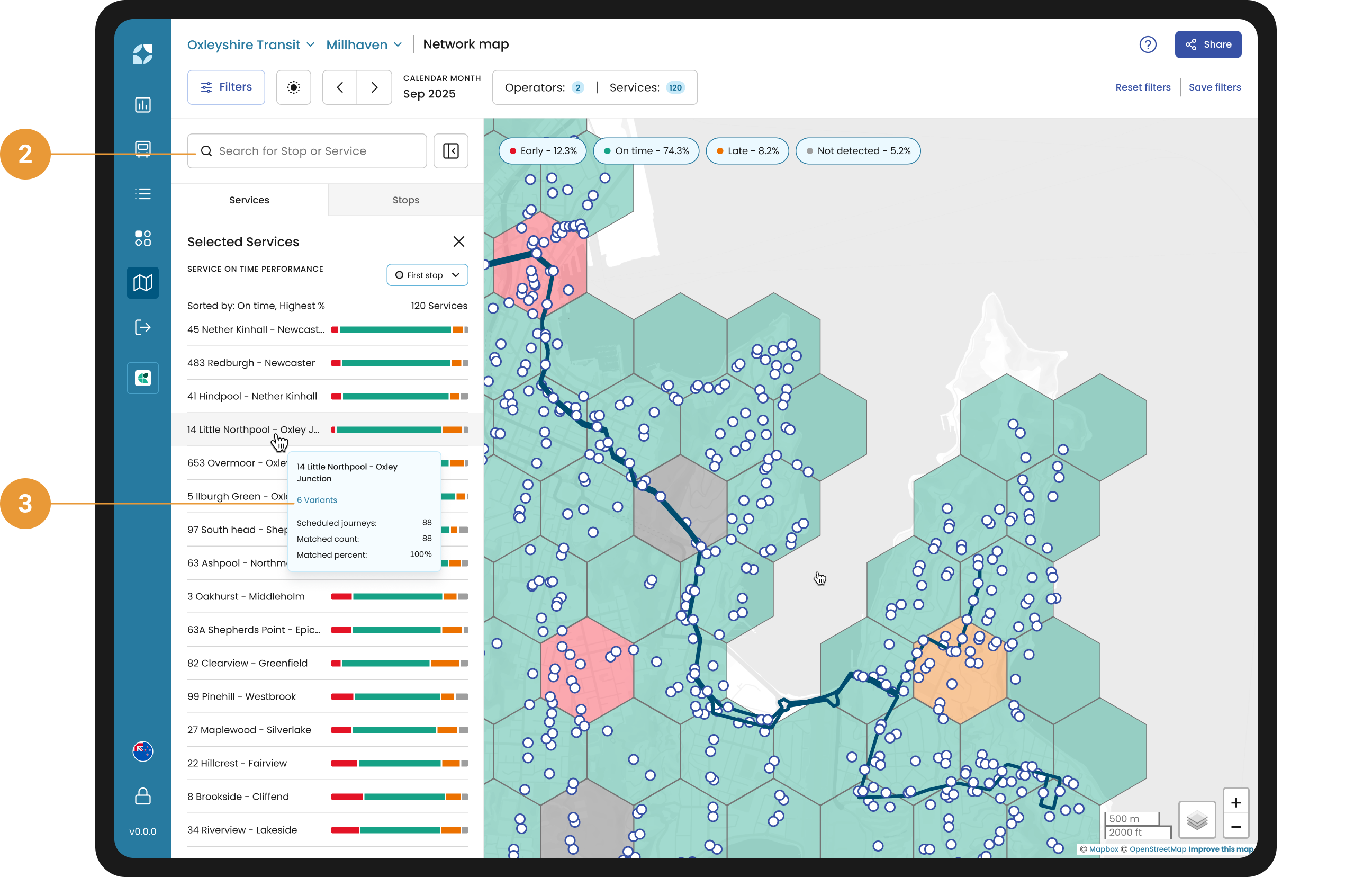
Data quality: Hover over any service or variant to see its data quality details, including scheduled times, matched count, and matched percentage. (3)
-
Multiple services: When you select more than one service, the services tab shows all selected services, and the stops tab lists every stop used by those services. By default, stops and services are sorted by their early On-Time Performance, making it easy to identify punctuality trends across your network.(4)
-
Single service: When you select a single service, the services tab displays its variants, while the stops tab lists all stops used by the chosen service and its variants.
-
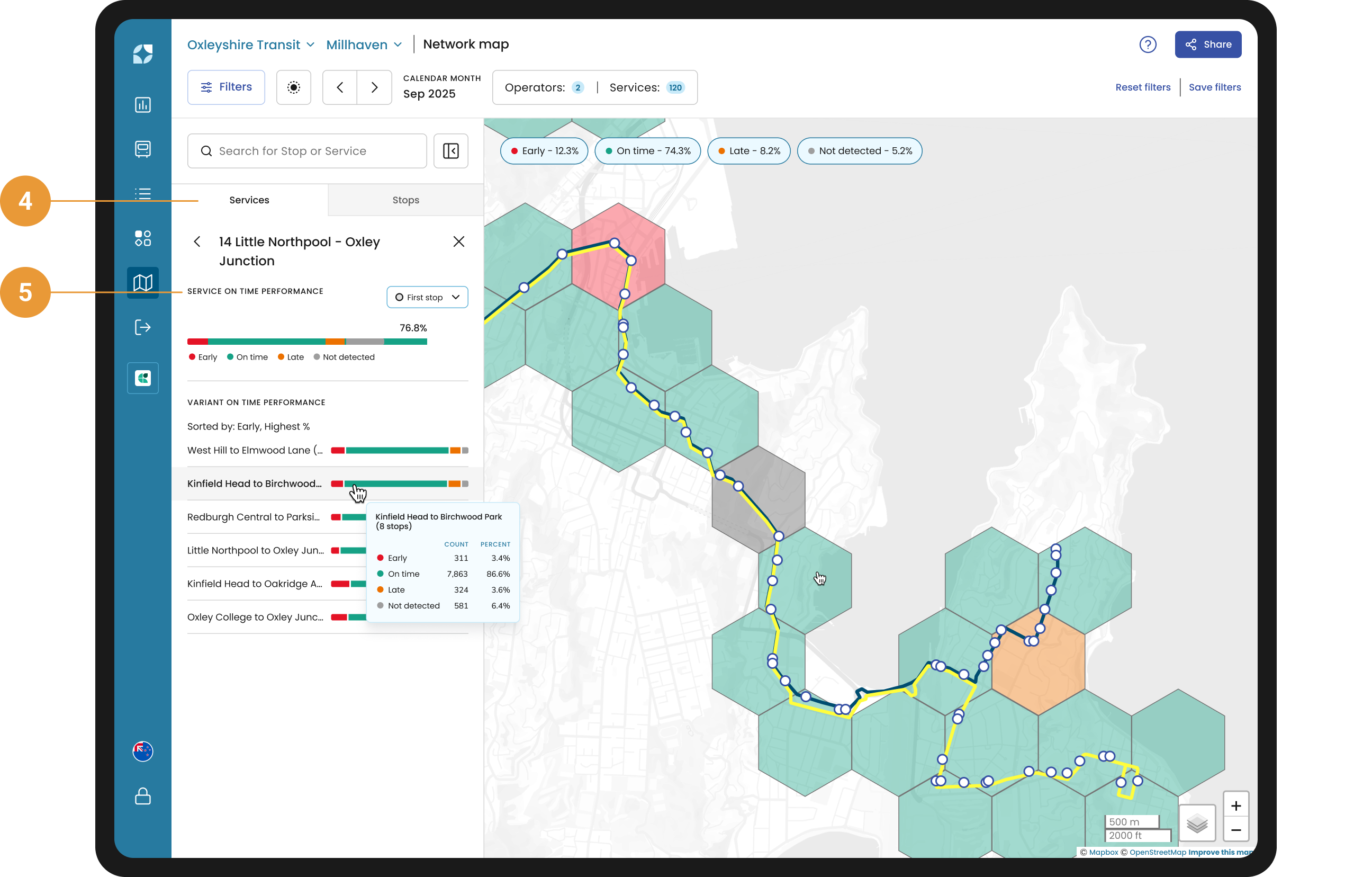
Performance data: Performance metrics are available for services, variants, stops, and hexbins. You can adjust the On-Time Performance (OTP) to see the first and last stops OTP. (5)
When a customer provides schedule data files with service’s shapes and colours, Mosaiq Insights displays them.
Interactive Features
Use the interactive features in the Services layer to highlight services on the map, inspect data quality, view route connections, and open detailed service or stop information.
Move your cursor over the services within the side panel to highlight them on the map (1). Hovering over the service, reveals data quality details for each service (2) and displays the connections between stops along the route (3).
Click on the service to view its variants. Hover over the variant to reveal its data quality details and connections between stops. Click a variant name in the side panel to open its service details page.
Switch to the stops tab where you will see all the stops that are used by the service (4).